Ruby
Ruby
 Golang
 .Net
.Net
 MCP
MCP
 C++
C++


Yandex is the leading search engine in Russia and one of the most-used in the wider Russian-speaking world, so its results are the go-to source for rank tracking, competitor analysis, and market research in those regions — data you often can't get from Google. A reliable Yandex scraper is the fastest way to pull that at scale.
Scraping search engines yourself is the hard part: you have to rotate proxies and user agents, solve CAPTCHAs, parse shifting HTML into JSON, and stay within terms of service. The Yandex Search API from SerpApi handles all of that and returns clean JSON and Markdown format, backed by a Legal US Shield on Production plans and higher, so you can focus on the results instead of the infrastructure.
What can you scrape from Yandex search results?
For any query, SerpApi parses the Yandex results page into structured fields:
- Organic results: The main list of results, each with a
position,title,link,displayed_link, andsnippet. Results can also carry adate, videodurationandvideo_quality, and asitelinksobject (bothinlineandexpanded) when Yandex shows them. - Ad results: Sponsored listings in
ads_results, withposition_on_page, the same title/link/snippet fields, and their ownsitelinks. - Knowledge graph: A
knowledge_graphblock with entity information when Yandex recognizes the subject of the query. - Inline images: An
inline_imagesarray (each withtitle,url, andthumbnail) plus amore_images_linkand amore_images_serpapi_linkthat points straight at the Yandex Images API. See how to scrape Yandex Images results for a dedicated image search. - Inline videos: An
inline_videosarray withtitle,link,source,duration,thumbnail,views, anddate, plus links to more videos on Yandex and via the Yandex Videos API. - Pagination: Both
paginationandserpapi_paginationobjects, so you can walk page by page (see Paging through results below).
Getting started with SerpApi
You can try any query live in the interactive playground for free before writing code.
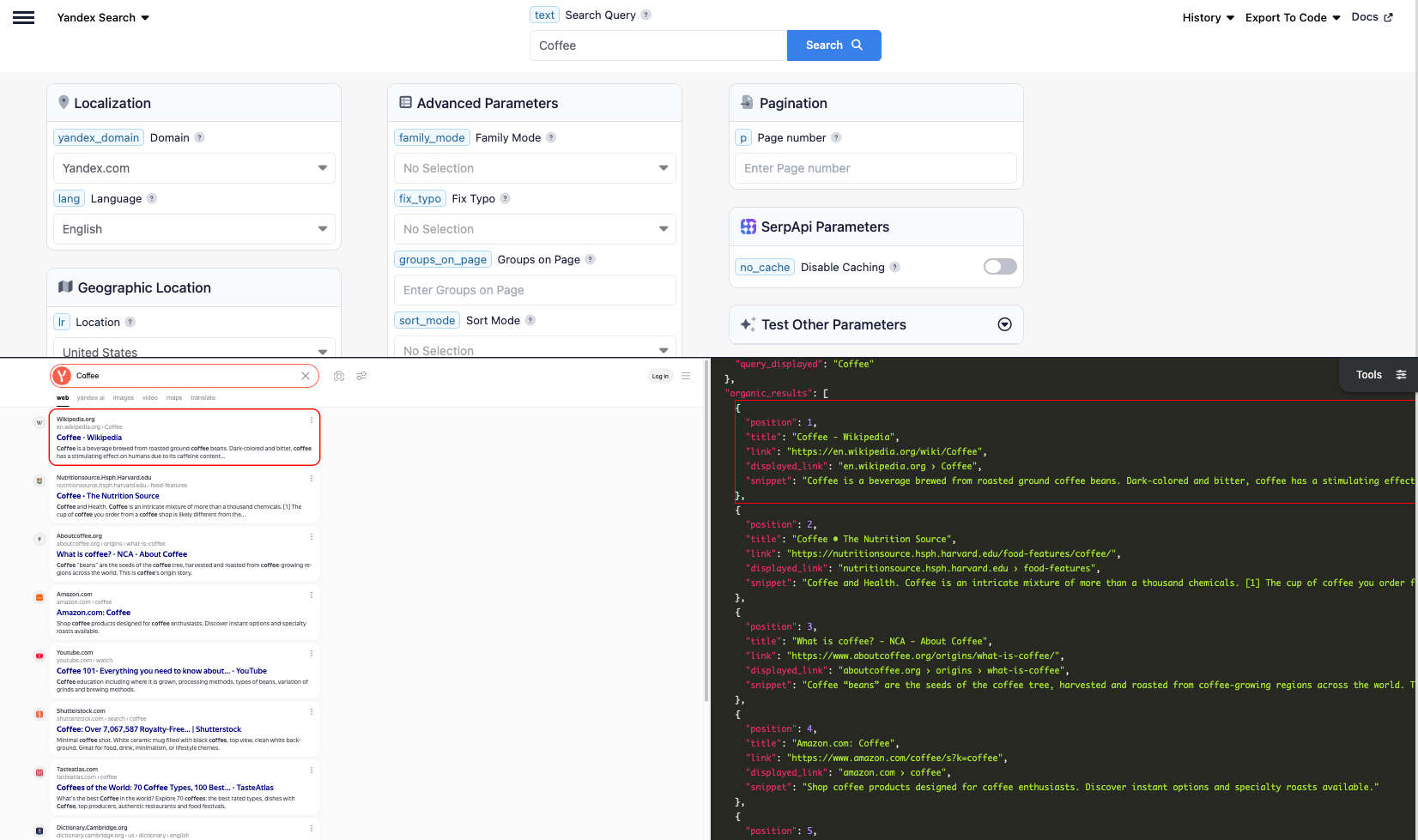
Once you're ready, you can sign up for a free SerpApi account to use the API. The free plan includes 250 searches per month. You can upgrade to a paid plan later if you need more searches, faster speeds, or additional features.
Grab your API key from your account dashboard.
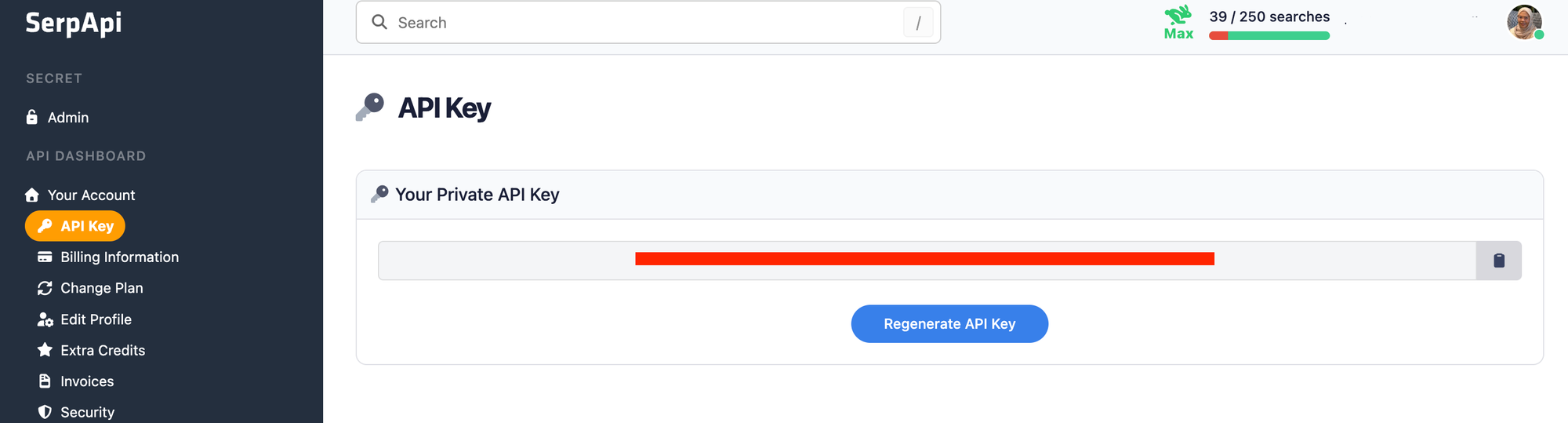
You should store your API key in a safe location if you're sharing or publishing your code. If it's ever leaked, you can generate a new one from the dashboard. The examples below read the key from an environment variable.
Install the SerpApi library (optional)
SerpApi has official libraries for Python, JavaScript, Ruby, Java, and more. They're a thin wrapper around the API and aren't required — the API works just as well with plain GET requests, cURL, or fetch() in Node.js.
For the Python examples, install the official client:
pip install serpapi
Review the Yandex Search documentation
Yandex web search runs on the yandex engine, and the query goes in the text parameter (up to 400 characters; Yandex uses roughly the first 40 words). Beyond the query, the API exposes Yandex's regional and filtering controls:
yandex_domain: which Yandex domain to use (defaults toyandex.com; useyandex.ruand others for regional indexes).lr: a region ID that limits results to a country or city (see Yandex locations).lang: the interface/results language (see Yandex languages).sort_mode:relevance(default) ordate.period:all,day,last_two_weeks, ormonth.fix_typo: automatic spelling correction, it's on by default.p: page number, starting at0.
For the full field reference and live examples, see the Yandex Search API documentation.
How to scrape Yandex search results
Once you have your API key, you're ready to pull results. The output is identical across every library, GET request, and cURL call, so use whichever method fits your stack.
GET request
This searches Yandex for "coffee":
https://serpapi.com/search.json?engine=yandex&text=coffee&api_key=YOUR_API_KEY
By default you get JSON, but you can request Markdown by adding output=md (or using the /search.md endpoint). Markdown returns the same data in a more token-efficient format built with tables and links, which is handy when feeding results to an LLM or AI agent:
https://serpapi.com/search.json?engine=yandex&text=coffee&output=md&api_key=YOUR_API_KEY
Python
This searches Yandex and prints the position, title, and link of each organic result, using the official SerpApi Python library and reading the key from an environment variable:
import os
import serpapi

client = serpapi.Client(api_key=os.environ["SERPAPI_API_KEY"])

results = client.search({
    "engine": "yandex",
    "text": "coffee",
})

for result in results.get("organic_results", []):
    print(f"{result['position']}. {result['title']} — {result['link']}")
To page through several results pages and save everything to a CSV, loop over the p parameter. The max_pages guard keeps the loop bounded, and it stops early if a page returns no results:
import os
import csv
import serpapi

client = serpapi.Client(api_key=os.environ["SERPAPI_API_KEY"])

max_pages = 3          # cap the number of pages to fetch
all_results = []

for page in range(max_pages):
    results = client.search({
        "engine": "yandex",
        "text": "coffee",
        "lr": 84,        # region ID (84 = United States)
        "lang": "en",
        "p": page,       # pagination starts at 0
    })
    organic = results.get("organic_results", [])
    if not organic:
        break
    all_results.extend(organic)

with open("yandex_search.csv", "w", encoding="UTF-8", newline="") as f:
    writer = csv.writer(f)
    writer.writerow(["position", "title", "link", "displayed_link", "snippet"])
    for r in all_results:
        writer.writerow([
            r.get("position"),
            r.get("title"),
            r.get("link"),
            r.get("displayed_link"),
            r.get("snippet"),
        ])

print(f"Saved {len(all_results)} results to yandex_search.csv")
JavaScript and Node.js
This runs the same search with the SerpApi JavaScript library:
import { getJson } from "serpapi";

const results = await getJson({
  engine: "yandex",
  api_key: process.env.SERPAPI_API_KEY,
  text: "coffee",
});

for (const result of results.organic_results) {
  console.log(`${result.position}. ${result.title} — ${result.link}`);
}
cURL
This searches Yandex straight from the command line:
curl --get https://serpapi.com/search \
 -d api_key="YOUR_API_KEY" \
 -d engine="yandex" \
 -d text="coffee"
Other languages and no-code solutions
Even if there's no official SerpApi integration for your language, you can use the API directly with GET requests and parse the JSON response. SerpApi also works with no-code tools like Make.com and n8n.
Targeting a region and language
The real power of scraping Yandex web search is seeing results the way a user in a specific place and language would. Three parameters control that:
lrsets the region by ID. For example a country or an individual city. Yandex rankings vary heavily by region, so this is essential for local rank tracking. The full list is in the Yandex locations reference.langsets the results language (see Yandex languages).yandex_domainswitches the domain.yandex.comfor the international index,yandex.rufor Russia, and others regionally.
You can combine these with sort_mode=date and a period (day, last_two_weeks, or month) to track only fresh results. It is useful for monitoring news or newly published competitor pages. For example, this GET request pulls Russian-language results from the yandex.ru domain, sorted by date, from the last day:
https://serpapi.com/search.json?engine=yandex&text=coffee&yandex_domain=yandex.ru&lang=ru&lr=84&sort_mode=date&period=day&api_key=YOUR_API_KEY
Conclusion
Yandex is the search engine to scrape for the Russian-speaking market, and the Yandex Search API turns its full results page, including organic results, ads, inline images and videos, and the knowledge graph, into a structured JSON or Markdown format with region and language targeting that makes the data useful. SerpApi handles the proxies, CAPTCHAs, and parsing so you don't have to.
To go deeper on specific result types, see our guides on how to scrape Yandex Images results and how to scrape Yandex reverse image search results.
If you need help getting started, contact us and we're happy to help.