Ruby
Ruby
 Golang
 .Net
.Net
 MCP
MCP
 C++
C++


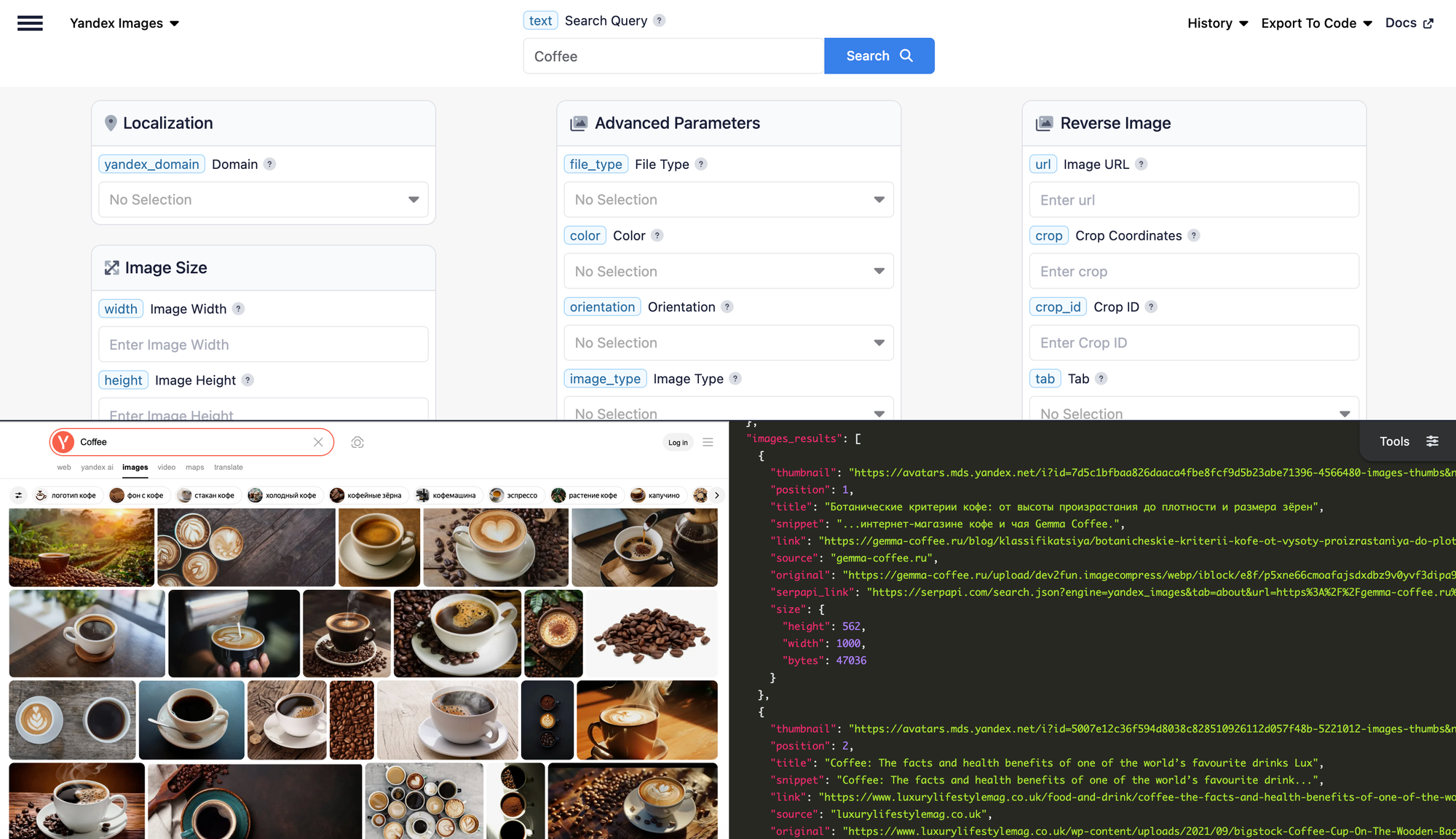
Yandex is the most-used search engine in Russia, and Yandex Images is its dedicated image search equivalent to Google Images or Bing Images, with its own index and filters for size, orientation, type, color, file format, and more.

With the Yandex Images API from SerpApi, you can scrape Yandex Images results without touching the underlying scraping yourself. SerpApi handles the HTML parsing, proxy rotation, CAPTCHA solving, and other challenges, and hands you structured JSON that's ready to drop into any language, script, or workflow. If you already scrape Google Images or Bing Images with us, this works exactly the same way.
There are plenty of reasons to pull image results at scale, such as research, market and brand monitoring, dataset building, design and creative work, and education, among others. Let's walk through how to do it.
What can you scrape from Yandex Images?
Here's the data you can extract for each query, using SerpApi:
- Image results: The ranked list of images for a search term. Each result can include a
position,title,source(the site hosting the image),snippet,link(the page the image appears on),original(the full-resolution image URL),thumbnail, and asizeobject withwidth,height, andbytes. - Filters: Narrow results by image
color,orientation(horizontal, vertical, square),image_type(photo, clipart, lineart, demotivator, face),file_type(JPG, PNG, GIF), exactwidth/height, sourcesite, and arecentflag for images from the last 7 days. Family Mode (safe search) is on by default and adjustable. - Commerce data: For product-style queries, results can carry a
priceandcurrency, another_offersarray of competing listings, and a separatestore_offersblock pulled from Yandex Market. - Suggested searches: Related query suggestions Yandex surfaces alongside the results, each with a ready-to-use
serpapi_link. - Reverse image search: You can also search by an image instead of text using the Yandex Reverse Image API, including cropping to a specific region.
Getting started with SerpApi
You need a free SerpApi account before you can use the Yandex Images API. You can upgrade to a paid plan later if you need more searches, faster speeds, or additional features.
First, create an account and verify your email. Then grab your API key from your account dashboard. The free plan includes 250 searches per month, and you can try any query live in the interactive playground before writing a line of code.
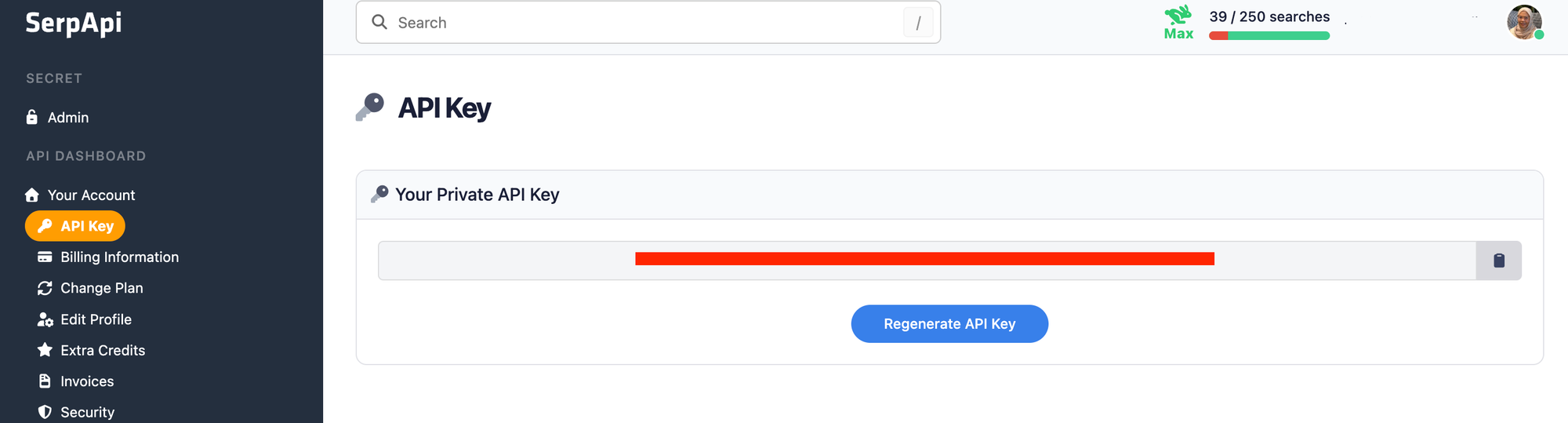
You should store your API key in a safe location if you're sharing or publishing your code. If the key is ever leaked, you can generate a new one from the dashboard. The examples below read the key from an environment variable rather than hard-coding it.
Install the SerpApi library (optional)
SerpApi has official libraries for Python, JavaScript, Ruby, Java, and more. They're a thin wrapper around the API and aren't required. The API works just as well with plain GET requests, cURL, or fetch() in Node.js.
For the Python examples, install the official client:
pip install serpapi
Review the Yandex Images documentation
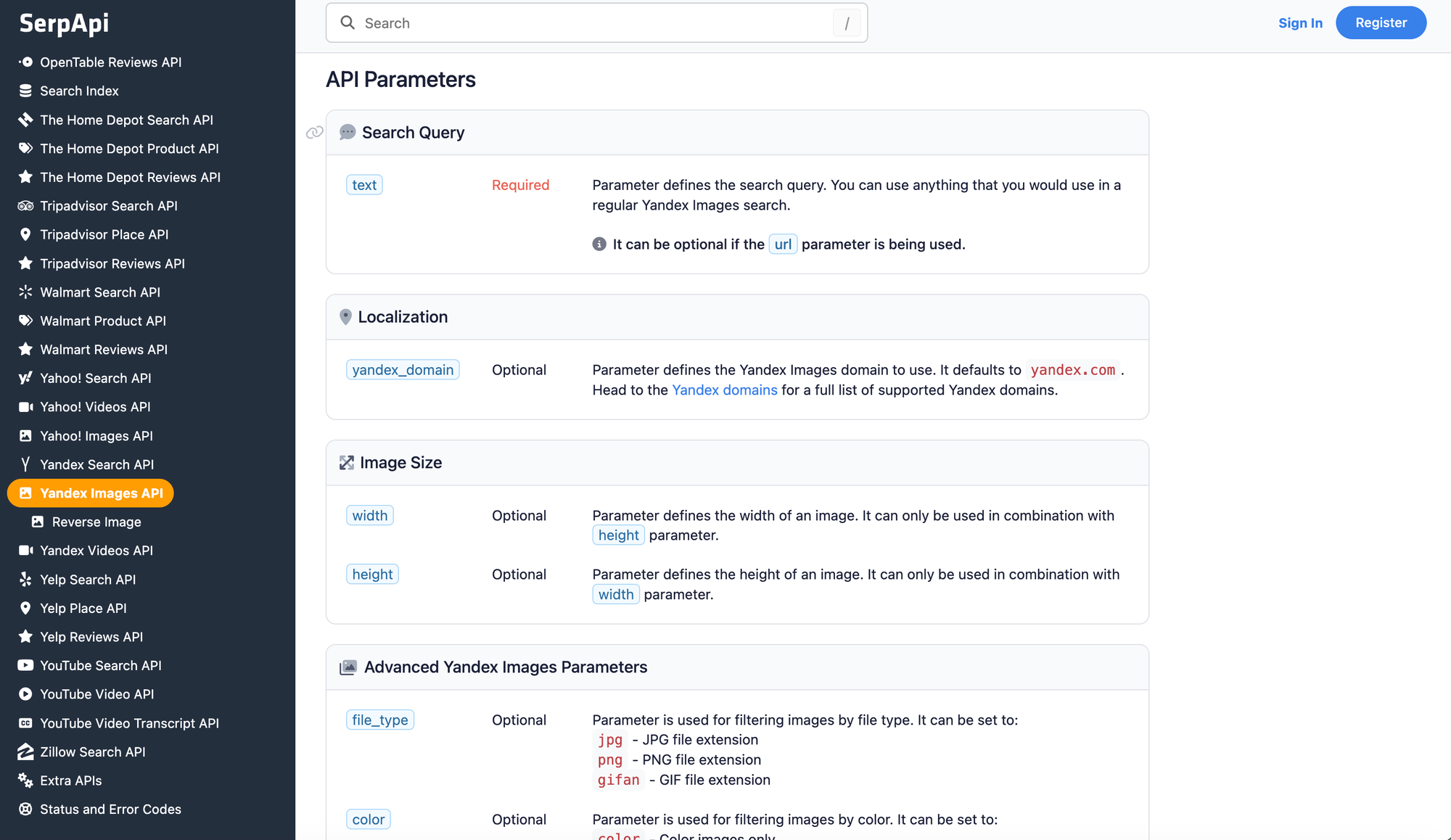
Every API at SerpApi has full documentation covering supported parameters, filters, code examples, and sample JSON responses. This post covers the basics of scraping Yandex Images; for the complete list of parameters, see the Yandex Images API documentation.
A few things worth knowing before you start:
- The search term goes in the
textparameter (notq). yandex_domaindefaults toyandex.com; set it toyandex.ruor another Yandex domain to change the regional index.- Pagination uses the
pparameter, starting at0, returning up to 30 results per page. - Add
output=mdto get a token-efficient Markdown response instead of JSON, which is handy when feeding results to an LLM.
How to scrape Yandex Images results
Once you have your API key, you're ready to pull image data. The results are identical across every library, GET request, and cURL call, so use whichever method fits your stack.
GET request
This searches for "Eiffel tower" on Yandex Images:
https://serpapi.com/search.json?engine=yandex_images&text=Eiffel+tower&api_key=YOUR_API_KEY
You can stack filters directly onto the URL. This returns only blue, horizontal photographs:
https://serpapi.com/search.json?engine=yandex_images&text=Eiffel+tower&color=blue&orientation=horizontal&image_type=photo&api_key=YOUR_API_KEY
Python
This searches for "Eiffel tower" and prints the position, title, and source of each image, using the official SerpApi Python library and reading the key from an environment variable:
import os
import serpapi
from dotenv import load_dotenv

load_dotenv()

client = serpapi.Client(api_key=os.getenv("SERPAPI_API_KEY"))

results = client.search({
    "engine": "yandex_images",
    "text": "Eiffel tower",
})

for image in results["images_results"]:
    print(f"{image['position']}. {image['title']} — {image['source']}")
To collect more than one page and save everything to a CSV, loop over the p parameter. The max_pages guard keeps the loop from running away, and the script stops early if a page comes back empty:
import os
import csv
import serpapi
from dotenv import load_dotenv

load_dotenv()

client = serpapi.Client(api_key=os.getenv("SERPAPI_API_KEY"))

max_pages = 3          # cap the number of pages to fetch
all_images = []

for page in range(max_pages):
    results = client.search({
        "engine": "yandex_images",
        "text": "Eiffel tower",
        "p": page,        # pagination starts at 0
    })
    page_images = results.get("images_results", [])
    if not page_images:
        break
    all_images.extend(page_images)

with open("yandex_images.csv", "w", encoding="UTF-8", newline="") as f:
    writer = csv.writer(f)
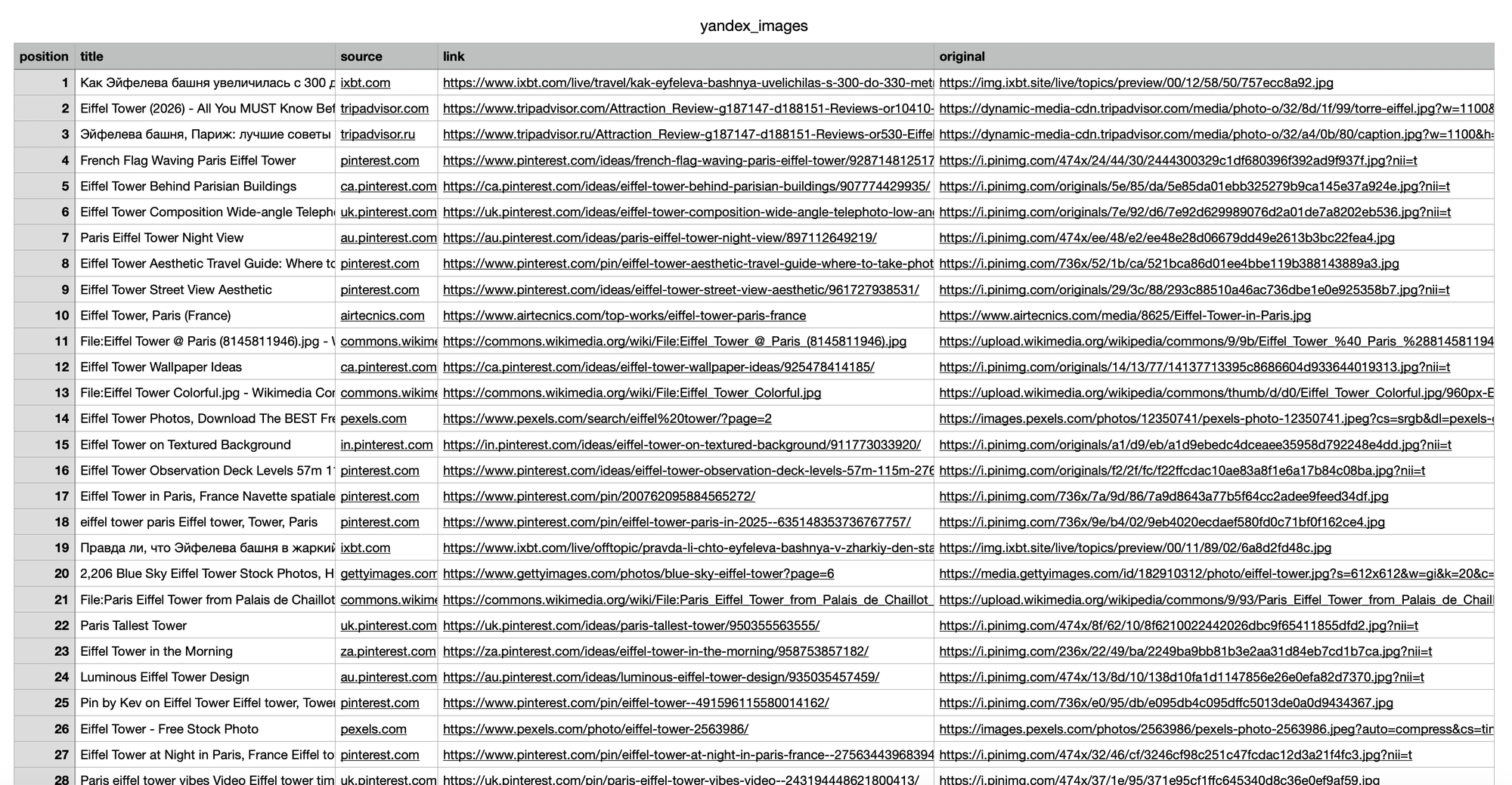
    writer.writerow(["position", "title", "source", "link", "original"])
    for image in all_images:
        writer.writerow([
            image.get("position"),
            image.get("title"),
            image.get("source"),
            image.get("link"),
            image.get("original"),
        ])

print(f"Saved {len(all_images)} images to yandex_images.csv")
The result in csv format:
JavaScript and Node.js
This example uses the SerpApi JavaScript library to run the same search and list each result:
import { getJson } from "serpapi";

const results = await getJson({
  engine: "yandex_images",
  api_key: process.env.SERPAPI_API_KEY,
  text: "Eiffel tower",
});

for (const image of results.images_results) {
  console.log(`${image.position}. ${image.title} — ${image.source}`);
}
cURL
This searches for "Eiffel tower" straight from the command line:
curl --get https://serpapi.com/search \
 -d api_key="YOUR_API_KEY" \
 -d engine="yandex_images" \
 -d text="Eiffel tower"
Other languages and no-code solutions
Even if there's no official SerpApi integration for your language, you can use the API directly with GET requests and parse the JSON response. SerpApi also works with no-code tools like Make.com and n8n.
Filtering and refining your results
The Yandex Images API supports the same filters as the Yandex Images website, and you can combine as many as you need. The most useful ones:
color:color,gray, or a specific hue likered,blue, orgreen.orientation:horizontal,vertical, orsquare.image_type:photo,clipart,lineart,demotivator, orface.file_type:jpg,png, orgifan(GIF).widthandheight: exact dimensions (must be used together).site: restrict results to a single source, e.g.www.shutterstock.com.recent: only images indexed in the last 7 days.
For example, to find recent, square PNG icons from a specific site, you'd combine image_type, file_type, orientation, site, and recent in one request. This is where a filtered API call saves real time versus manually clicking through the Yandex Images interface.
Conclusion
Yandex Images gives you a large, independent image index with a rich set of filters, and the Yandex Images API turns all of it into clean JSON you can pull into any language or automation. Whether you're building a dataset, monitoring how images rank, or doing creative research, SerpApi handles the scraping so you can focus on the data.
If you need help getting started, contact us; we're happy to help.