Ruby
Ruby
 Golang
 .Net
.Net
 MCP
MCP
 C++
C++


Google Play Books started as the Google eBookstore in 2010, and today it serves as Google's unified platform for purchasing and reading eBooks and audiobooks. It's part of the same Google Play Store that distributes Android applications, digital movies, and digital TV shows, and it serves as an alternative to platforms like Amazon Kindle and Kobo.
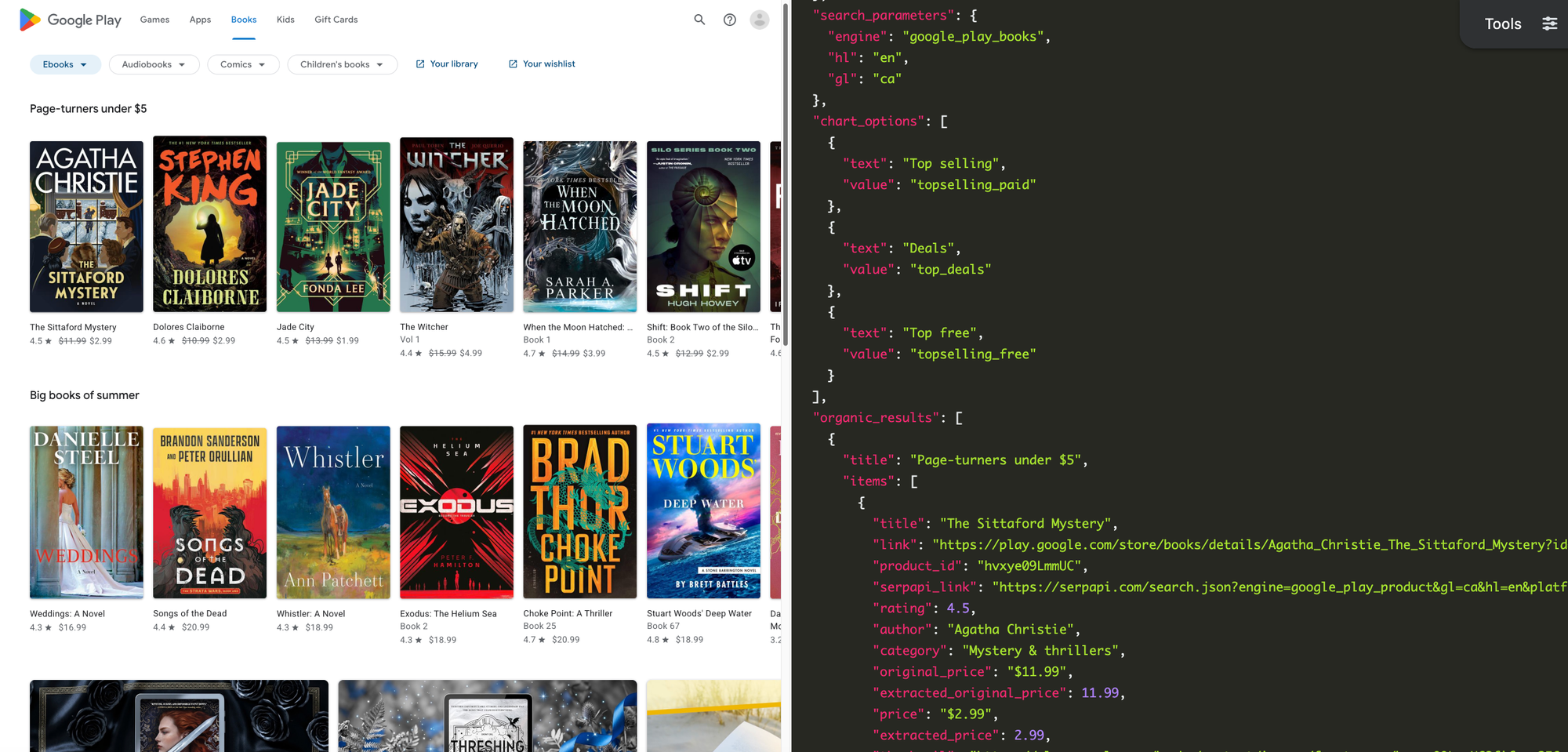
With the Google Play Books Store API from SerpApi, you can retrieve search results, new releases, deals, and top charts in simple JSON format, ready for any programming language or automation. SerpApi handles the web scraping, HTML parsing, proxy network, captcha puzzles, and other challenges for you.
What can you scrape from book results on the Google Play Store?
Here's some of the data you can extract for books on the Google Play Store, using SerpApi:
- Search results: The list of book results for a given search query. This is primarily intended for text search, but Google also seems to accept ISBN numbers without dashes or spaces (example) if an exact match is available on the store.
- Books: Each search result can include a title, author, Play Store link, product ID, average rating, category, price (in its original formatting, and as a float number), thumbnail image, description, and other information.
- Charts and lists: New releases, top selling books, top free books, and other similar lists. There are charts available for eBooks or audiobooks, as well as all individual categories in each format.
- Recommended books: The eBooks and audiobooks listed on the home page for Google Play Books, and on the home pages for each individual category.
Getting started with SerpApi
You need a free SerpApi account before you can use the Google Play Store APIs. You can upgrade to a paid account later if you need more search capacity, faster speeds, or other features.
First, create an account and verify your email and other details. After that, get the API key from your account dashboard.
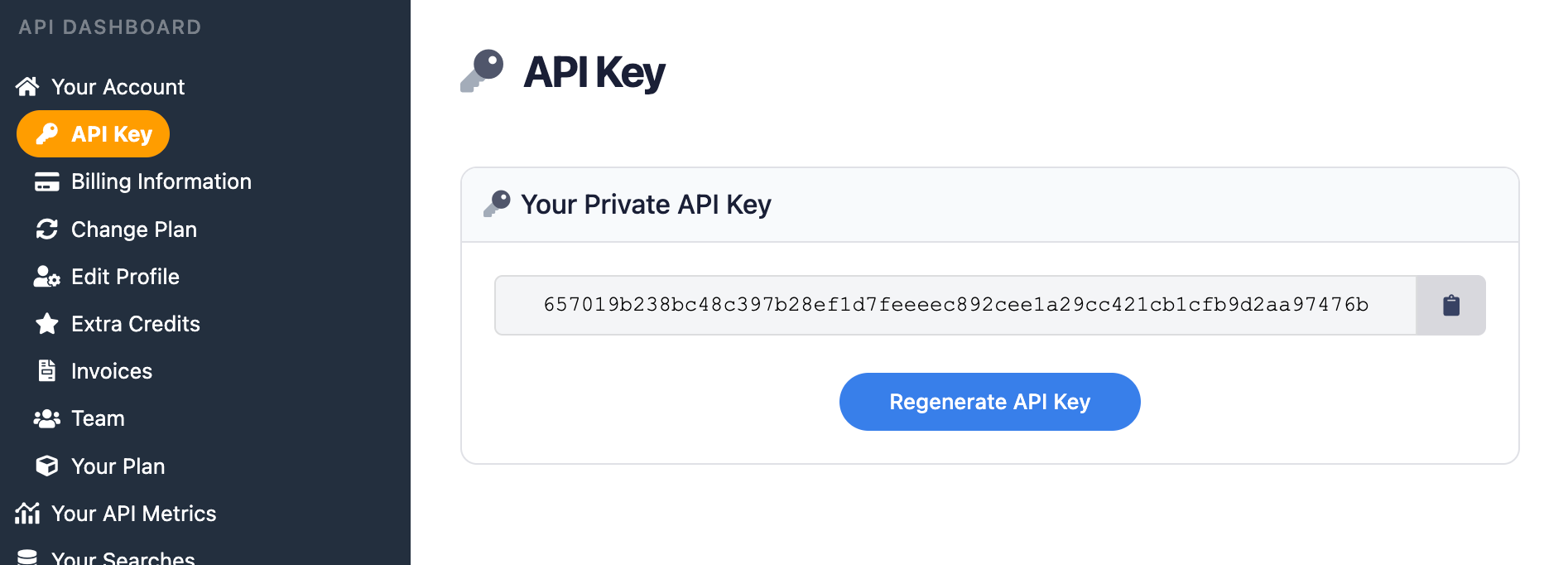
You should store your API key in a safe location if you are sharing or publishing your code. If the key is leaked or stolen, you can make a new one from the SerpApi account dashboard.
Install the SerpApi library (optional)
You can use SerpApi's official libraries for Python, JavaScript, Ruby, Java, and other languages. They aren't required, but they provide a simple wrapper around the API requests.
The APIs can also be used with cURL, fetch() in Node.js, or anything else that can send GET requests and process a JSON response.
Review the Google Play Books documentation
All the APIs at SerpApi have extensive documentation that covers all the supported parameters and filters, code examples for popular languages, and example JSON responses. This covers the basic usage for scraping search results and home pages from Google Play Books, and you can check out the Google Play Books Store API documentation for more options and features.
 SerpApi
If you provide a search query with the q parameter, the API can be used to retrieve search results. If you don't have a query, the API will return data from the Google Play Books home page in the category, region, and language you specified.
How to scrape book results from the Google Play Store
If you have your API key, you're ready to start pulling books data from the Google Play Store. The results will be identical across all libraries and GET requests, so use whichever method you want.
GET request
This searches for "medieval Europe" on the Google Play Store in the United States, with English language results:
https://serpapi.com/search.json?engine=google_play_books&q=medieval+Europe&gl=us&hl=en&api_key=YOUR_KEY_GOES_HEREYou can also (usually) search for books with their ISBN numbers, as long as you leave out any spaces or dashes:
https://serpapi.com/search.json?engine=google_play_books&q=9780593135211&gl=us&hl=en&api_key=YOUR_KEY_GOES_HEREThis pulls the books home page for the Google Play Store in Canada, including recommended books and any top charts (note the lack of a q parameter):
https://serpapi.com/search.json?engine=google_play_books&gl=ca&hl=en&api_key=YOUR_KEY_GOES_HEREIn the results for that search, there's a topselling_paid item in the chart_options array, corresponding to the list of top selling books in Canada. You can add that to the chart parameter to fetch the full list:
https://serpapi.com/search.json?engine=google_play_books&gl=ca&hl=en&chart=topselling_paid&api_key=YOUR_KEY_GOES_HEREYou can also use SerpApi's JSON Restrictor feature to trim the API response to specific values. This parses the Google Play Store books home page in the US, and returns only the titles and authors for each recommended book:
https://serpapi.com/search.json?engine=google_play_books&gl=us&json_restrictor=organic_results[].{title,items[].title,items[].author}&hl=en&api_key=YOUR_KEY_GOES_HEREThis can be useful if you need more efficient parsing, like when using an LLM with a limited context window.
Python
This fetches the home page of Google Play Books in the United States, and displays each list of recommended books, using the official SerpApi Python library:
import serpapi
client = serpapi.Client(api_key=YOUR_KEY_GOES_HERE)

response = client.search({
  "engine": "google_play_books",
  "hl": "en",
  "gl": "us"
})

for category in response["organic_results"]:
    print(f"\n{category['title']}\n=====")
    for book in category["items"]:
        print(f"{book['title']} - {book['author']}")
This searches for "Stephen King" books on Google Play Store, and displays the title and price of each result, which may include eBooks and/or audiobooks:
import serpapi
client = serpapi.Client(api_key=YOUR_KEY_GOES_HERE)

response = client.search({
  "engine": "google_play_books",
  "hl": "en",
  "gl": "us",
  "q": "stephen king"
})

for category in response["organic_results"]:
    # If there is only one category (e.g. only eBooks or Audiobooks, not both), Google might not provide a title
    title = category.get("title") or "Results"
    print(f"\n{title}\n=====")
    for book in category["items"]:
        print(f"{book['title']} - {book['price']}")
Ruby
Here's how you can fetch the books home page for the Google Play Store in Canada, with the the SerpApi Ruby gem, and display each list of recommendations with each book's title and price:
require "serpapi"

response = SerpApi::Client.new(
  engine: "google_play_books",
  api_key: YOUR_KEY_GOES_HERE,
  hl: "en",
  gl: "ca"
)

for category in response.search.dig(:organic_results) do
  puts "\n#{category[:title]}\n====="
  for book in category[:items] do
    puts "#{book[:title]} - #{book[:price]}"
  end
end
This checks for any top charts in the Google Play Store in the United States, such as the best-selling books or top free books, and then fetches each list:
require "serpapi"

response = SerpApi::Client.new(
  engine: "google_play_books",
  api_key: YOUR_KEY_GOES_HERE,
  hl: "en",
  gl: "us"
)

charts = Array(response.search.dig(:chart_options)).map { |c| c[:value] }

for chart in charts do
  new_response = SerpApi::Client.new(
    engine: "google_play_books",
    api_key: YOUR_KEY_GOES_HERE,
    hl: "en",
    gl: "us",
    chart: chart
  )
  puts "\n#{chart} in #{new_response.search[:search_parameters][:gl]}\n====="
  new_response.search[:top_charts].each_with_index do |book, index|
    puts "#{index + 1}. #{book[:title]} - #{book[:author]}"
  end
end
JavaScript and Node.js
This example uses the SerpApi JavaScript library to search for "Arthur C. Clarke" in the Google Play Store in the United States, then display all eBook and/or audiobook results in a list:
import { getJson } from 'serpapi';

const search = await getJson({
  engine: "google_play_books",
  api_key: YOUR_KEY_GOES_HERE,
  hl: "en",
  gl: "us",
  q: "arthur c. clarke"
});

for (let category of search?.organic_results) {
  // If there is only one category (e.g. only eBooks or Audiobooks, not both), Google might not provide a title
  const title = category?.title || "Results";
  console.log(`\n${title}\n=====`);
  for (let book of category?.items) {
    console.log(`${book.title} - ${book.price}`);
  }
}
Here's how you can fetch all available charts for books in Canada, like the best-selling books and deals, and then display all books in each chart:
import { getJson } from 'serpapi';

const search = await getJson({
  engine: "google_play_books",
  api_key: YOUR_KEY_GOES_HERE,
  hl: "en",
  gl: "ca"
});

for (let chart of search?.chart_options) {
  // Fetch full book list for this chart
  const thisChart = await getJson({
    engine: "google_play_books",
    api_key: YOUR_KEY_GOES_HERE,
    hl: "en",
    gl: "ca",
    chart: chart.value
  });
  // Display the list
  let i = 1;
  console.log(`\n${chart.text}\n=====`);
  for (let book of thisChart?.top_charts) {
    console.log(`${i}. ${book.title} - ${book.author}`);
    i++;
  }
}
cURL
This searches for "medieval Europe" in the Google Play Books Store in the United States:
curl --get https://serpapi.com/search \
 -d api_key="YOUR_KEY_GOES_HERE" \
 -d engine="google_play_books" \
 -d q="medieval+Europe" \
 -d hl="en" \
 -d gl="us"
Other languages and no-code solutions
You can still use the API directly with GET requests, even if there isn't an official SerpApi integration for your preferred environment or language. SerpApi also works with Make.com, N8N, and other tools.
Conclusion
Google Play isn't one of the most popular storefronts for eBooks and audiobooks, but it can still provide valuable data for market research or general book searches. With the Google Play Books Store API from SerpApi, the top charts, recommended books, and search results can be pulled into any automation or programming language.
If you need help using SerpApi, please contact us.